Planning a Full Photoshoot with AItocha Photos: Headshots, Casual, and Holiday in One Session
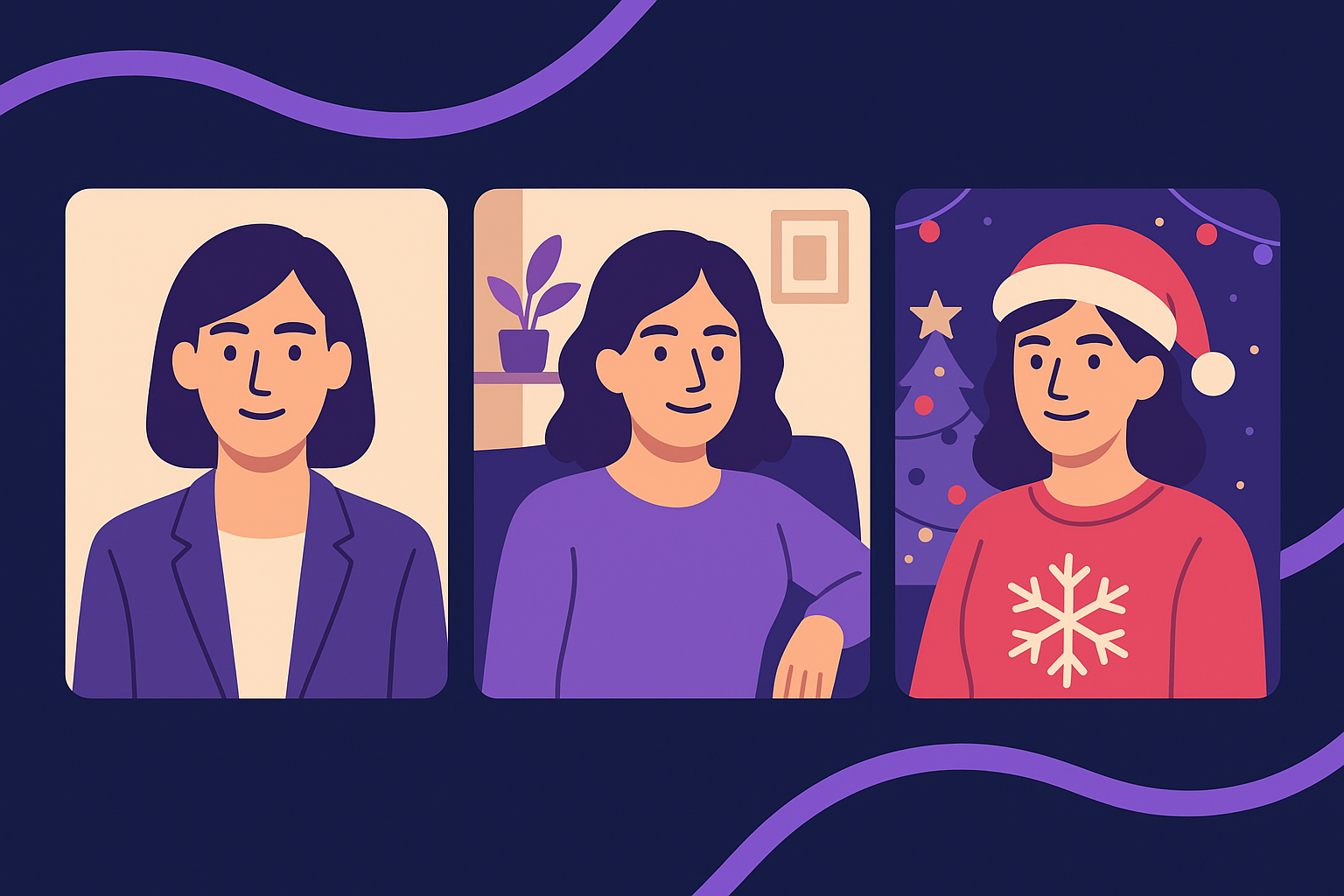
Imagine scheduling just one photoshoot session and walking away with professional headshots, casual lifestyle images, and festive holiday portraits—all created with a single AI model. This is exactly what you can achieve by planning your session with AItocha Photos. By leveraging its reusable AI model and 40+ themed photo packs, you gain flexibility to cover various styles without the hassle of multiple sittings. This guide will walk you through organizing a full photoshoot using AItocha Photos, ensuring you optimize your time and resources while getting diverse, high-quality images for different needs.
Understanding the Power of a Reusable AI Model
At the core of AItocha Photos lies a reusable AI model trained on your unique facial features. This means once your model is trained, you can generate an unlimited number of images across different styles without retraining. For planning a multi-style photoshoot, this is a huge advantage—you only need to provide your training photos once to create consistent, high-quality images for headshots, casual looks, or holiday themes.
This design saves both time and cost by eliminating the need for separate sessions or repeated uploads. The model maintains your likeness and ensures consistency across all images, which is especially important if you require professional headshots for LinkedIn or business use alongside more relaxed casual photos for social media or personal use.
For example, if you were to coordinate separate sessions for each style, scheduling conflicts and additional preparation could cause delays. Instead, training your AI model once allows you to switch effortlessly among styles, generating fresh images whenever you need them. This reusability also encourages experimentation with new looks or themes without extra effort.
Selecting the Right Themed Packs for Your Photoshoot Needs
AItocha Photos offers over 40 themed photo packs, which means you can easily tailor your photoshoot to cover a broad range of visual styles. For a comprehensive session, consider combining several packs that suit your goals: one for professional headshots, another for casual or lifestyle portraits, and a third for holiday or seasonal images.
Each pack comes with curated backgrounds, lighting, and poses that fit its theme. Planning ahead which packs to include ensures your photoshoot covers all bases in a single go, reducing the need for multiple sessions or photo orders. For instance, you might pick a business casual pack for your headshots, a relaxed indoor setting pack for lifestyle shots, and a festive holiday-themed pack that incorporates seasonal props and colors.
A common mistake is to wait until after training to choose your packs, but pre-selecting them helps you visualize the final gallery and balance the number of images per theme. If you’re aiming for a balanced portfolio, you might generate ten images from each selected pack, creating an even mix of professional, casual, and seasonal portraits at once. This approach simplifies selection and ensures you have options for different platforms or campaigns.
Preparing Your Training Photos for Optimal Results
Before starting the photoshoot, it's essential to prepare and upload high-quality training photos to build your AI model. Aim for clear, well-lit images that show your face from multiple angles. This preparation enhances how well the AI model can capture your features, which translates into more authentic and consistent generated images across different styles.
Because the model is reusable, invest time once in getting a solid set of training photos. You won’t need to repeat this step for each themed pack you use later. Clear, varied training images also help the AI adapt to various backgrounds and lighting conditions found in the different photo packs you select, ensuring each image looks natural and true to you.
In practice, this means avoiding photos with extreme shadows or harsh light and steering clear of heavy makeup or accessories that drastically change your appearance. Including images with neutral expressions and some with natural smiles can give your AI model versatility to generate photos that reflect different moods and contexts, from serious professional headshots to warm holiday portraits.
Planning Your Session Workflow for Efficiency
A well-organized workflow helps you maximize what you get from a single AItocha Photos session. Start by choosing your training photos and uploading them to create your AI model. Next, select the themed packs you want for your headshots, casual images, and holiday portraits. Since the model is reusable, you can switch between these packs without training again.
Consider the order of image generation to visualize your gallery cohesively. For example, generate professional headshots first to confirm likeness accuracy, then move on to casual and holiday themes. This way, you can make adjustments early if needed before producing your full set. Knowing the number of images each pack provides helps you decide how many photos to generate for each style and balance your final collection effectively.
A practical tip: set aside a dedicated session for reviewing your first batch of generated images. This lets you spot any inconsistencies or minor adjustments to your training data or model parameters before finalizing the entire photoshoot. This iterative approach can significantly improve the overall quality and relevance of your images, ensuring that you are happy with the outcome across all themes.
Leveraging Your Photoshoot Results for Multiple Uses and Future Updates
Once you have your full set of AI-generated photos, you can use them across many platforms and formats. Professional headshots work well for LinkedIn, company websites, or press releases. Casual lifestyle photos fit social media profiles, blogs, or personal branding. Holiday portraits create engaging seasonal content for cards, newsletters, or campaigns.
- Professional headshots for business use
- Casual portraits for social media and personal branding
- Holiday-themed images for festive promotions and greetings
- Consistent looks across all styles thanks to one AI model
- Quick generation of new images without extra training
Because your AI model is reusable, you can return to it anytime to generate updated photos with a fresh theme or new style. This flexibility means your visual content can stay current without undergoing a new training process. For example, you might create summer-themed casual portraits mid-year or update your holiday images each season. For more details, visit AItocha Photos to explore the range of themed packs and model capabilities.
By planning a comprehensive AItocha Photos session, you save time and resources while obtaining diverse, high-quality images tailored to different occasions. This approach ensures your visual content stays cohesive and authentic without the need for multiple traditional photo shoots.