The Unified Inbox Problem: Why Fragmented Channels Cost Support Teams Time
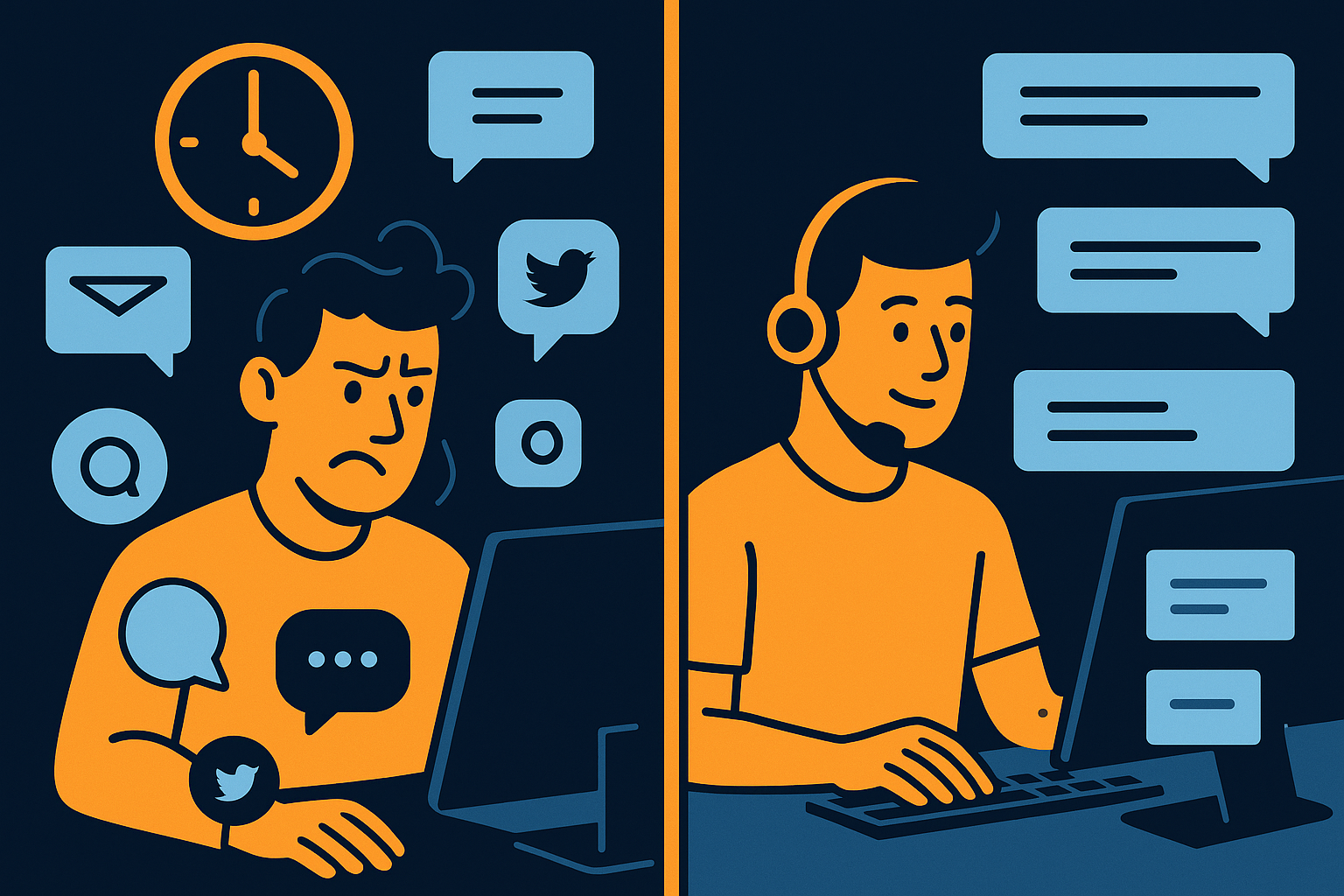
Imagine your support team trying to keep up with messages scattered across five or six different platforms—email, social media, live chat, SMS, and more. Each channel requires separate logins, different tools, and distinct workflows. This fragmentation doesn’t just complicate agent work; it costs time, reduces responsiveness, and can frustrate customers waiting for answers. A unified inbox, bringing every channel into one view, tackles this head-on by streamlining communication and helping support teams work smarter.
How Fragmented Support Channels Drain Agent Productivity
Support agents frequently switch between apps and interfaces, each with its own notifications and user experience. This context switching interrupts focus and extends the time it takes to respond to customers. Agents might miss urgent messages buried in a less-monitored channel or accidentally duplicate responses when updating multiple threads separately. These fragmented workflows create inefficiencies that ripple through the support operation, increasing workload and burnout risks.
Consider a scenario where an agent handles a customer query via email but misses a related follow-up on social media because it’s in a different system. This disconnect can lead to inconsistent answers and customer frustration. Additionally, toggling between platforms slows down response times, which directly affects customer satisfaction. These challenges mean agents spend more time managing tools than solving problems, which is an avoidable drain on resources.
Another common issue is lost conversation history when channels are siloed. For example, a customer might reach out first on live chat and then switch to SMS without the agent having immediate access to previous interactions. Without a unified inbox, agents may have to ask for context repeatedly, which wastes both their and the customer’s time. This disjointed experience risks eroding trust and loyalty over time.
The Benefits of a Unified Inbox Across Every Channel
A unified inbox brings every customer interaction—whether it’s email, chat, social media, or SMS—into a single, streamlined interface. This consolidation allows agents to see all messages in one place, eliminating the need to juggle multiple tools. It reduces context switching and helps prioritize responses based on urgency, regardless of the channel.
In practice, this means support staff can respond to a Twitter complaint, a live chat question, and an email request all from the same dashboard. This consistent interface not only speeds up handling times but also ensures each customer’s history is easily accessible, allowing for more personalized and informed replies. This holistic visibility can reduce errors, improve collaboration, and ultimately lead to a more efficient support operation.
Moreover, a unified inbox enables better team coordination. For instance, if one agent is overwhelmed, conversations can be reassigned swiftly to others without risk of duplication or missed messages. Teams can also add internal notes visible only to colleagues, improving knowledge sharing and reducing back-and-forth delays. This leads to faster resolutions and a smoother customer journey.
Common Challenges When Implementing a Unified Inbox
Though the benefits are clear, transitioning to a unified inbox can present challenges. Integrating diverse communication platforms requires technical coordination and sometimes custom connectors. Teams may also need to adapt their workflows to fit a new tool’s interface and features, which can initially slow down operations.
For example, a team accustomed to separate email and chat tools may initially find consolidating these channels overwhelming without proper training or change management. Data migration, ensuring message history integrity, and configuring notifications to avoid overload are additional hurdles. Addressing these requires a phased rollout, clear communication, and support to help agents adapt efficiently.
Another challenge is balancing automation with personal touch. While unified inboxes often support AI-driven routing and auto-responses, it’s important to configure these features carefully so customers feel heard rather than processed mechanically. Without thoughtful setup, automation can backfire, reducing customer satisfaction instead of improving it.
Additionally, data security and compliance considerations arise when centralizing communication, especially across regulated industries. Ensuring the unified inbox solution respects privacy and audit requirements is essential. Successful adoption involves careful planning, thorough testing, and ongoing training to realize the time-saving potential fully.
Key Features to Look for in a Unified Inbox Solution
Choosing the right unified inbox means prioritizing features that directly address channel fragmentation and agent productivity. Look for support systems offering true integration across every channel your customers use, enabling a single dashboard for all messages.
- Multi-channel integration (email, chat, social media, SMS)
- Unified conversation threads combining all interactions
- Assignment and collaboration tools for teams
- Real-time notifications and prioritization
- Robust reporting and analytics across channels
- Security and compliance controls tailored to your industry
These features collectively help reduce time spent switching contexts and hunting for messages. For instance, unified conversation threads prevent duplicated efforts by showing the full history of customer interactions across channels. Real-time prioritization means urgent issues get flagged immediately, preventing delays. Overall, selecting a solution with these capabilities sets your team up to handle fragmented channels more efficiently and scale support smoothly as your customer base grows.
How AItocha CX Addresses the Unified Inbox Problem
AItocha CX offers a unified inbox across every channel, designed to simplify your support workflow and cut down response times. By consolidating all customer communications into one interface, it helps your team focus on what matters: resolving issues efficiently and effectively.
Imagine your team no longer juggling six different tabs but instead managing all inquiries smoothly in one place. AItocha CX supports collaboration, prioritization, and automation tailored to your support needs. Features like intelligent routing and message tagging make it easier to assign tickets to the right agents quickly, reducing handoff delays. These practical tools help you reclaim the time lost to managing fragmented channels.
Moreover, AItocha CX’s unified inbox is built to handle high volumes of interactions while maintaining data security and compliance standards, which is crucial for regulated industries. Its design also supports gradual rollout, so your team can adapt without disruption. This combination of usability and robustness makes it a practical choice to address the fragmented channel problem effectively.
To explore how this solution can reduce the time your team loses managing fragmented channels, visit the CX product page for more details.